💼 Adding External Wallets
Register external wallets to receive minted AUDD directly, and burn AUDD from.
The AUDD Mint operates as a non-custodial platform. This means that when you mint AUDD, the tokens are sent directly to the wallet you specify - there’s no holding account or custody layer in between. Conversely, when burning AUDD, our system needs to identify that the AUDD sent to us came from an authorised source. To enable this, you’ll first need to register your wallet in the Mint system so it can be used as a valid destination.
🧩 Wallet Types
You can register two types of external wallets, depending on how your organisation handles funds:
- Distributor Wallets: Owned and controlled by your company; often used as a treasury or operational wallet for managing your own AUDD balance.
- Customer Wallets: belongs to an end user of your platform. If your service is non-custodial, this lets you define wallets as customer-owned so AUDD can be minted directly to them without passing through your own accounts.
📝 Creating an External Wallet
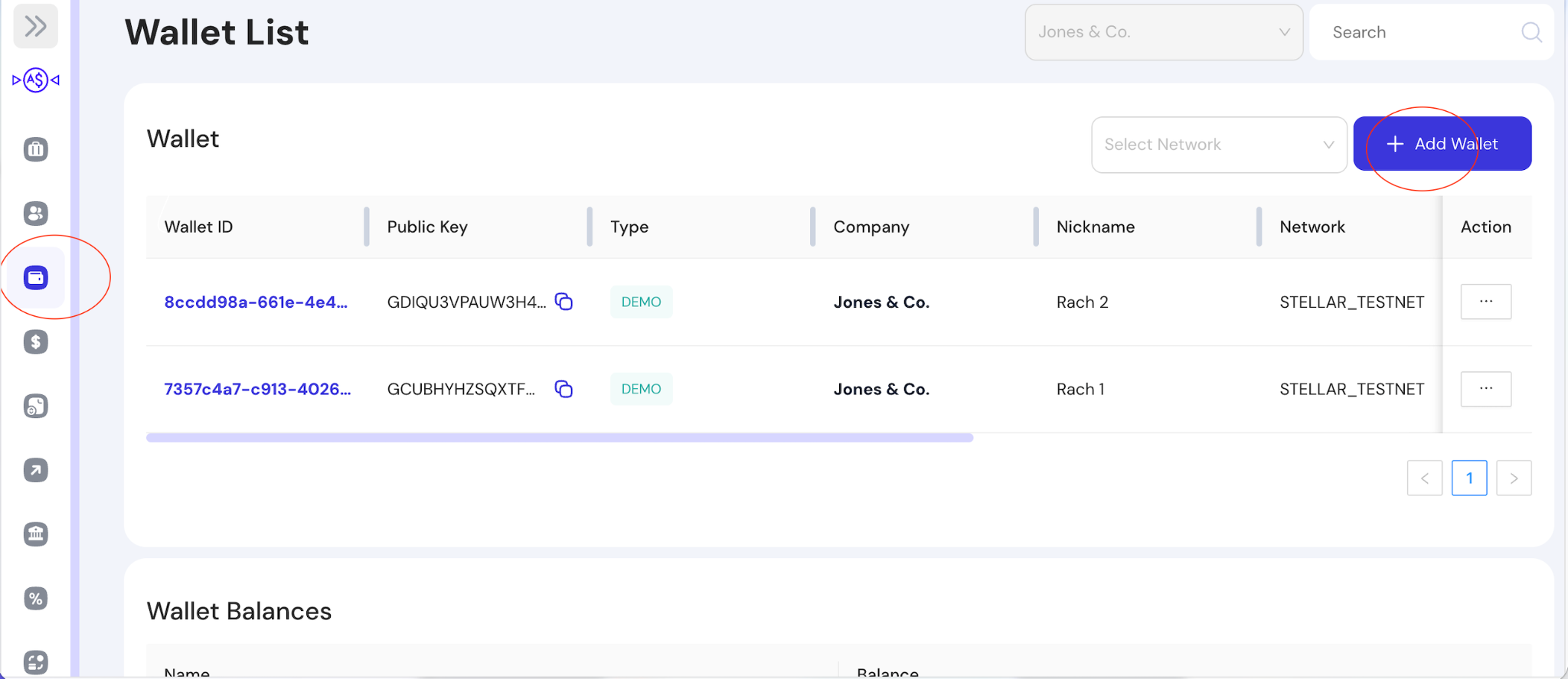
To add a new external wallet, use the menu on the left-hand side to navigate to the wallet screen. This will open the Wallet List page, where you can view all existing wallets linked to your account.
On the top right-hand corner of the Wallet List page, click the + Add Wallet button. This will activate the Create Wallet setup screen.
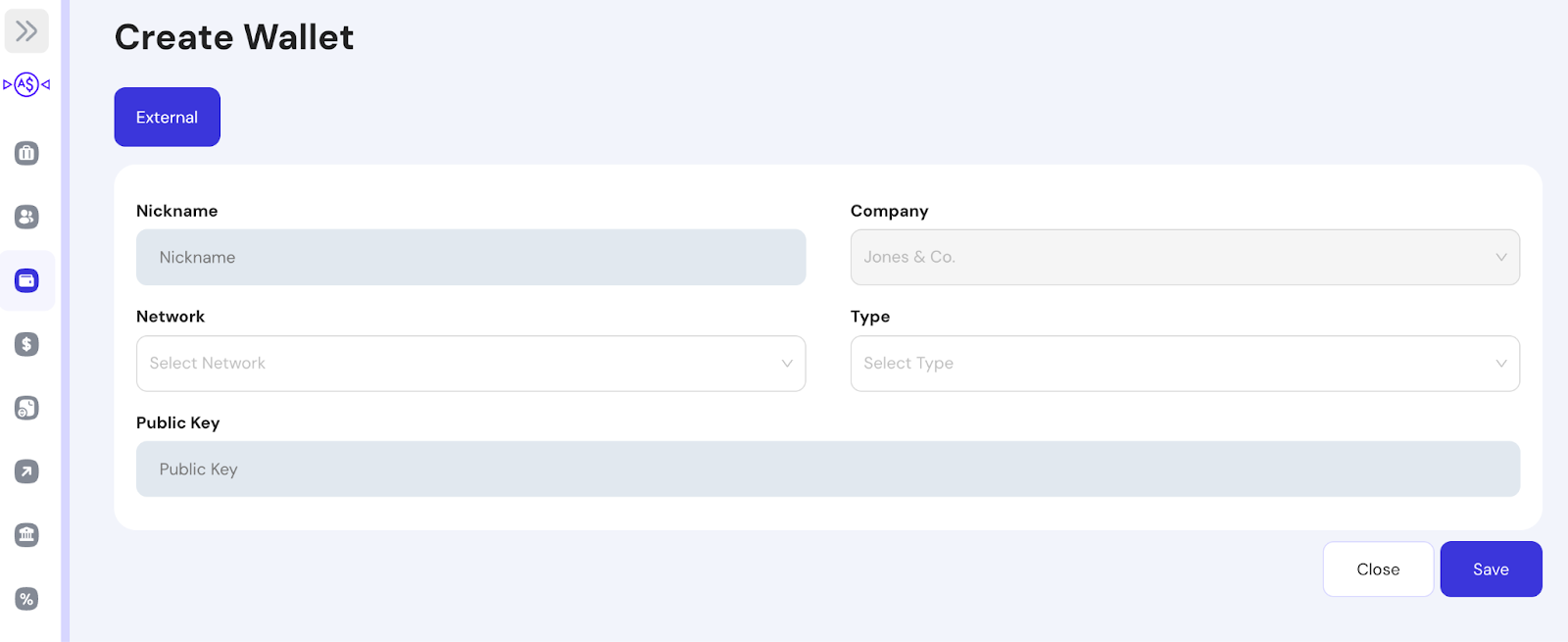
To add your new wallet, fill in the form particulars. Each section is described below:
| Field | Required | Description |
|---|---|---|
| Nickname | ✅ | A friendly label to identify the wallet in Mint. |
| Company | ❌ | Pre-filled with your Company - cannot be changed |
| Network | ✅ | The blockchain network where the wallet exists (e.g., STELLAR_TESTNET, ETHEREUM_GOERLI, SOLANA_DEVNET). |
| Type | ✅ | If the wallet is a company owned wallet, select Distributor. If the wallet is owned by your client, select Customer |
| Public Key | ✅ | The public key (wallet address) of the external wallet to add. Must be valid on the chosen blockchain. |
Wallet Activation:For blockchains like Stellar or XRP Ledger, wallet owners are required to establish a Trustline to AUDD first, before any tokens can be received. For more information, visit our guide on Trustlines.
Once filled in, double check the entered details. If everything is correct, click the Save button. Your new wallet should now appear in your Wallet List.
📺 Watch: Video Tutorial
Updated 10 months ago